The Wiv Bot allows you to seamlessly interact with the Wiv platform directly from Slack. With this bot, you can run workflows, retrieve case information, and more, making it easy to manage tasks without leaving Slack.
Getting Started
Enabling Workflows
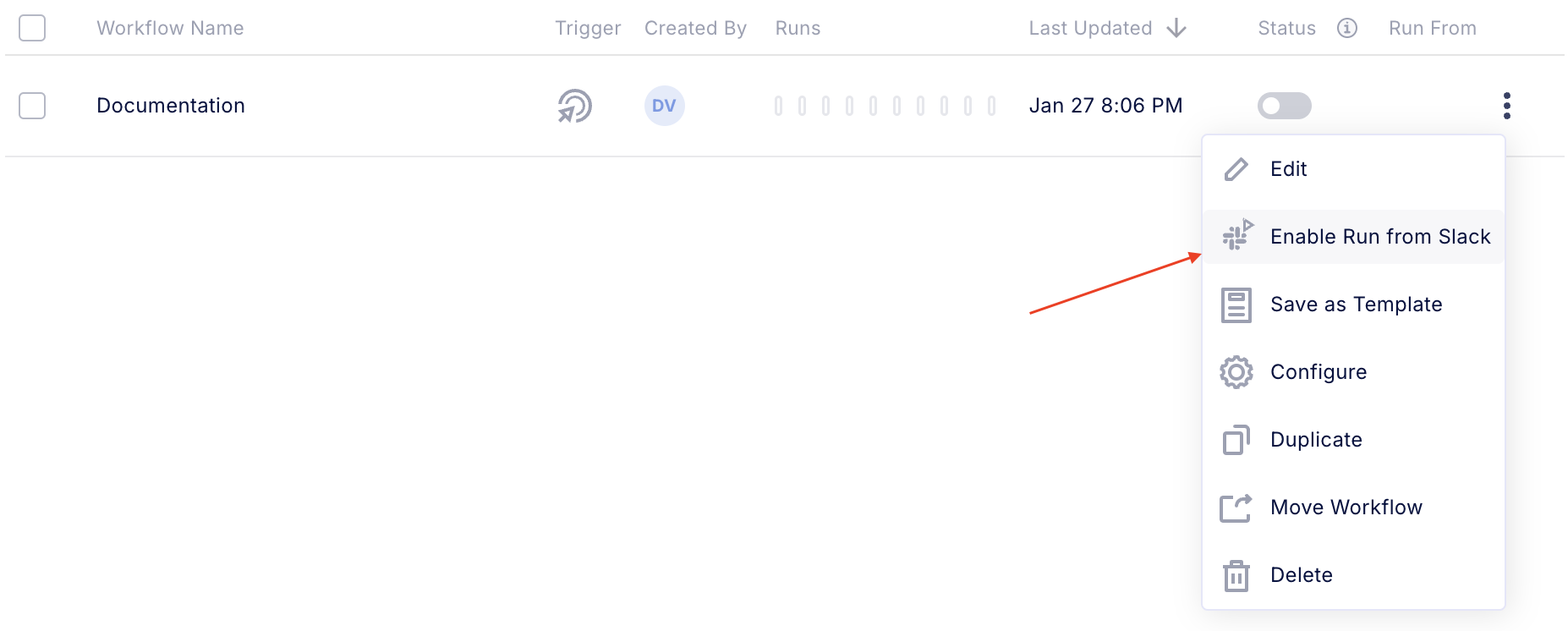
To make workflows executable from Slack, you need to make them visible to the bot. Navigate to the workflows page on the platform, click the 3 dots menu beside your chosen workflow, and select Enable Run from Slack
Using the Bot
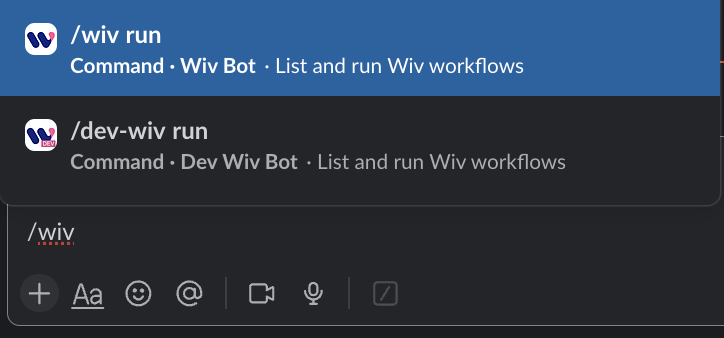
Invoke the Bot: Start by typing a backslash (/wiv) in the message box. This will display available Wiv bot commands (see image for reference).
Available Commands
Command Description /wiv run Displays all workflows in your Wiv account that can be triggered from Slack. This command shows you which workflows are enabled for Slack execution. After viewing the list, you can select and run any workflow directly through Slack
Running Workflows from Slack
To run a workflow using Slack
Open Slack and type /wiv run
You'll be shown all workflows that are enabled for Slack execution
Select the workflow you would like to run
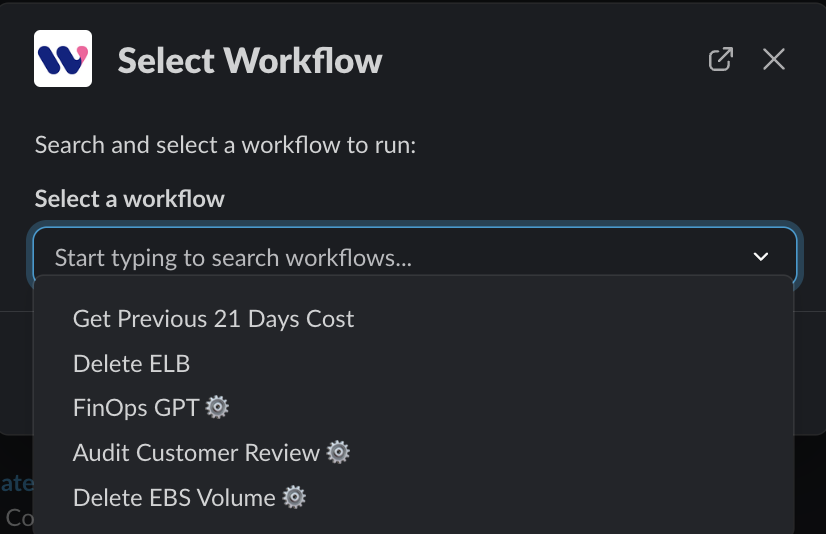
For workflows with input parameters, look for the "gear" icon - this allows you to modify the parameters before starting the workflow. Select such a workflow and in the next page you will be able to adjust the entry parameters
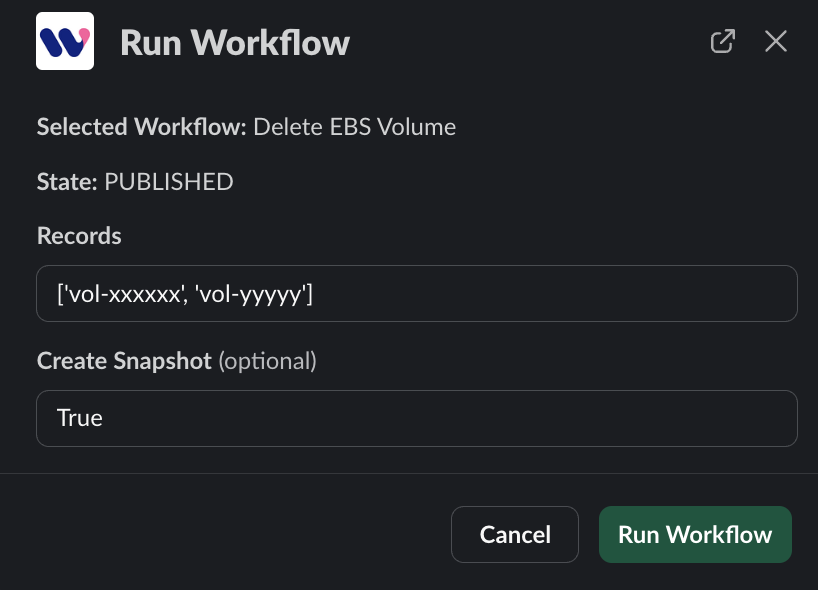
Running the workflow will show you the relevant information
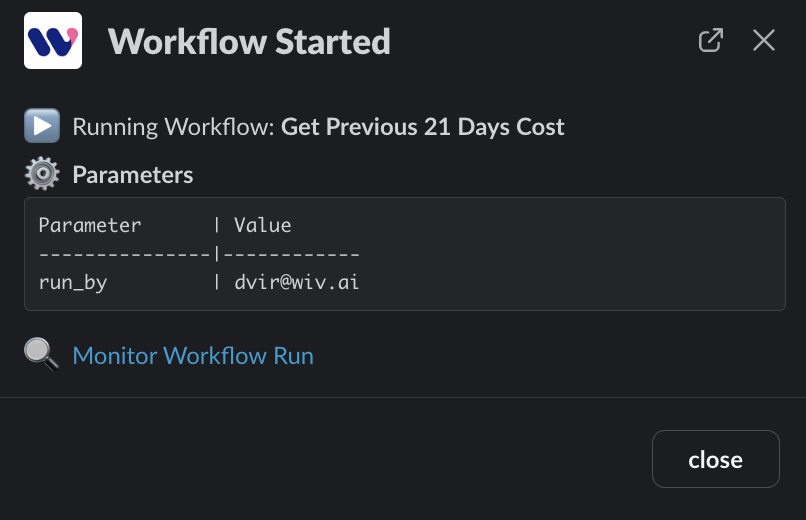
Workflows that returns a response, will return it to the Wiv Bot chat with the relevant response

Summary
The Wiv Bot enhances workflow automation and case management within Slack, providing a streamlined experience for monitoring and interaction.
Was this article helpful?
That’s Great!
Thank you for your feedback
Sorry! We couldn't be helpful
Thank you for your feedback
Feedback sent
We appreciate your effort and will try to fix the article