The Exit step is a crucial component of your workflow. While simple in concept, it plays a vital role in defining the outcome and output of your workflow.
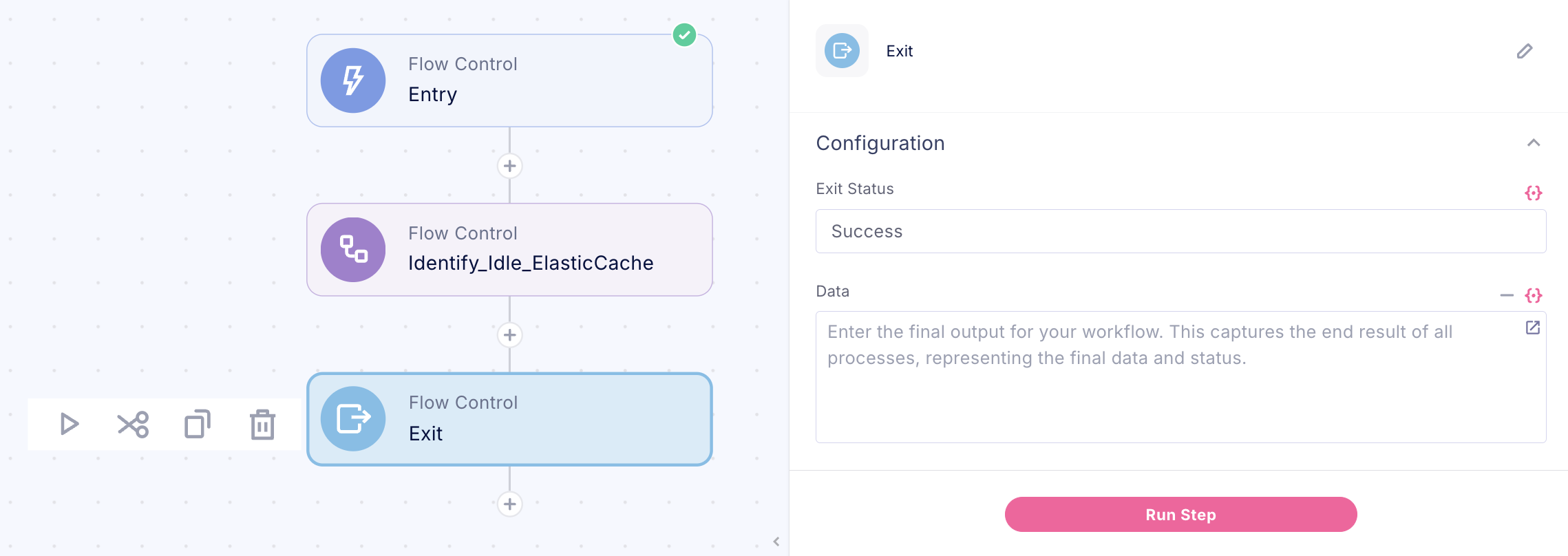
What is the Exit Step?
The Exit step signifies the end of your workflow. It's highly recommended to add this step at the conclusion of every workflow.
Why Use the Exit Step?
Define Workflow Status: Specify whether the workflow ended in success or failure.
Set Output Data: Define the data your workflow will return upon completion.
Using the Output Data
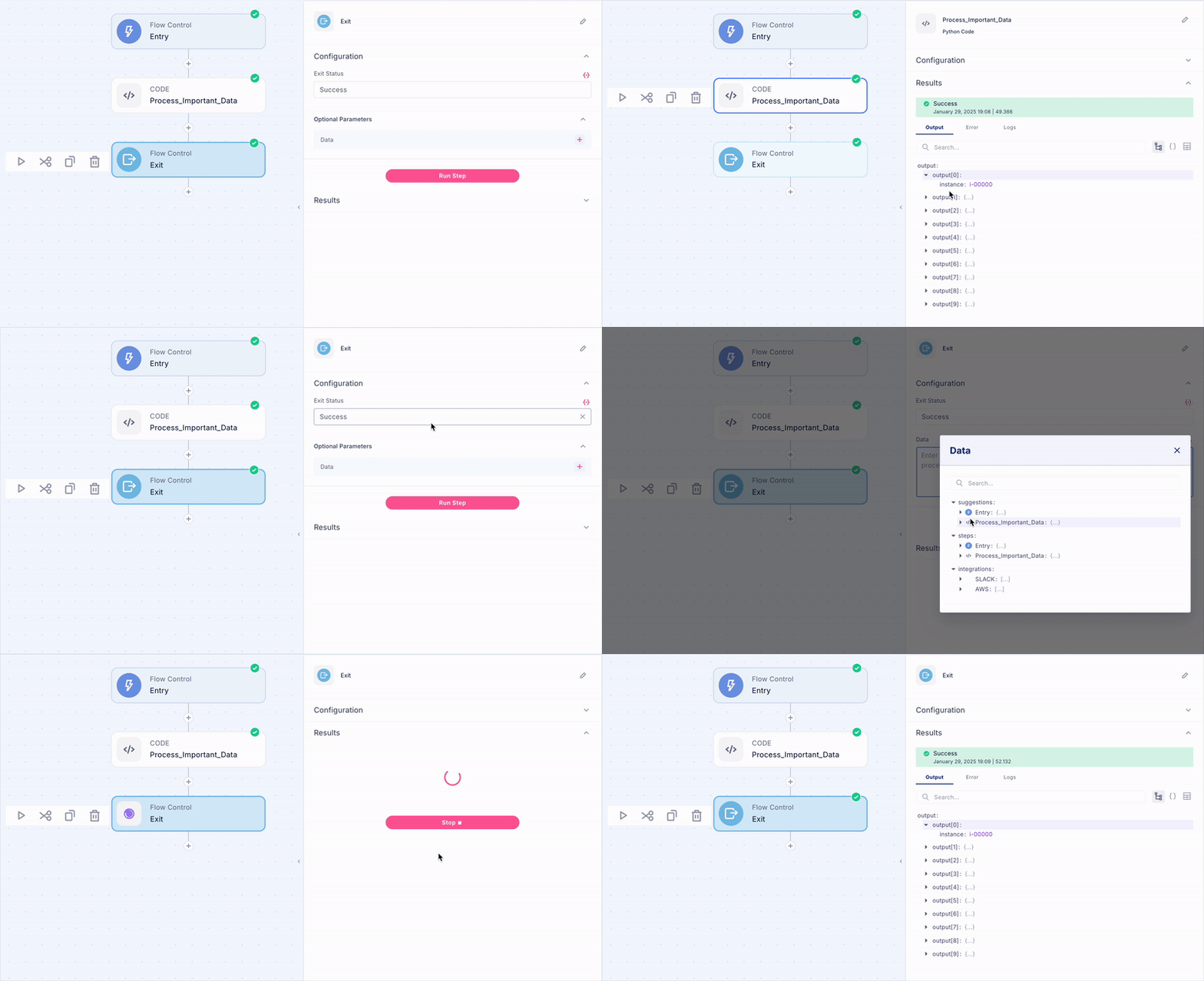
The Exit step's key functionality lies in its ability to set output data, making it essential for workflow orchestration. This becomes particularly valuable when your workflow operates as a sub-workflow within a larger process, or when you need to pass data upstream to a parent workflow. By defining outputs in the Exit step, you create seamless data flows between interconnected workflows
How It Works
1. In the Exit step, you can define parameters and their values.
2. These parameters become the official "output" of your workflow.
3. When used as a sub-workflow, this output is what gets returned to the parent workflow.
? Pro Tip
Think of the Exit step's output as the "return value" of your workflow. It's what your workflow "gives back" when it's done running
Was this article helpful?
That’s Great!
Thank you for your feedback
Sorry! We couldn't be helpful
Thank you for your feedback
Feedback sent
We appreciate your effort and will try to fix the article