System Workflows (SWF)

Modified on Wed, 29 Jan, 2025 at 9:15 PM

System workflows are maintained by the Wiv team and are provided as read-only. These workflows are designed to minimize time to value (TTV) after onboarding. When a customer joins the platform, these system workflows are automatically added to their tenant, allowing immediate execution to generate optimization cases.

The Wiv team handles all system workflow updates and additions, modernizing them whenever we improve the platform. We recommend using these system workflows as reference templates - clone and customize them to match your specific needs and business requirements


Where can I find SWF

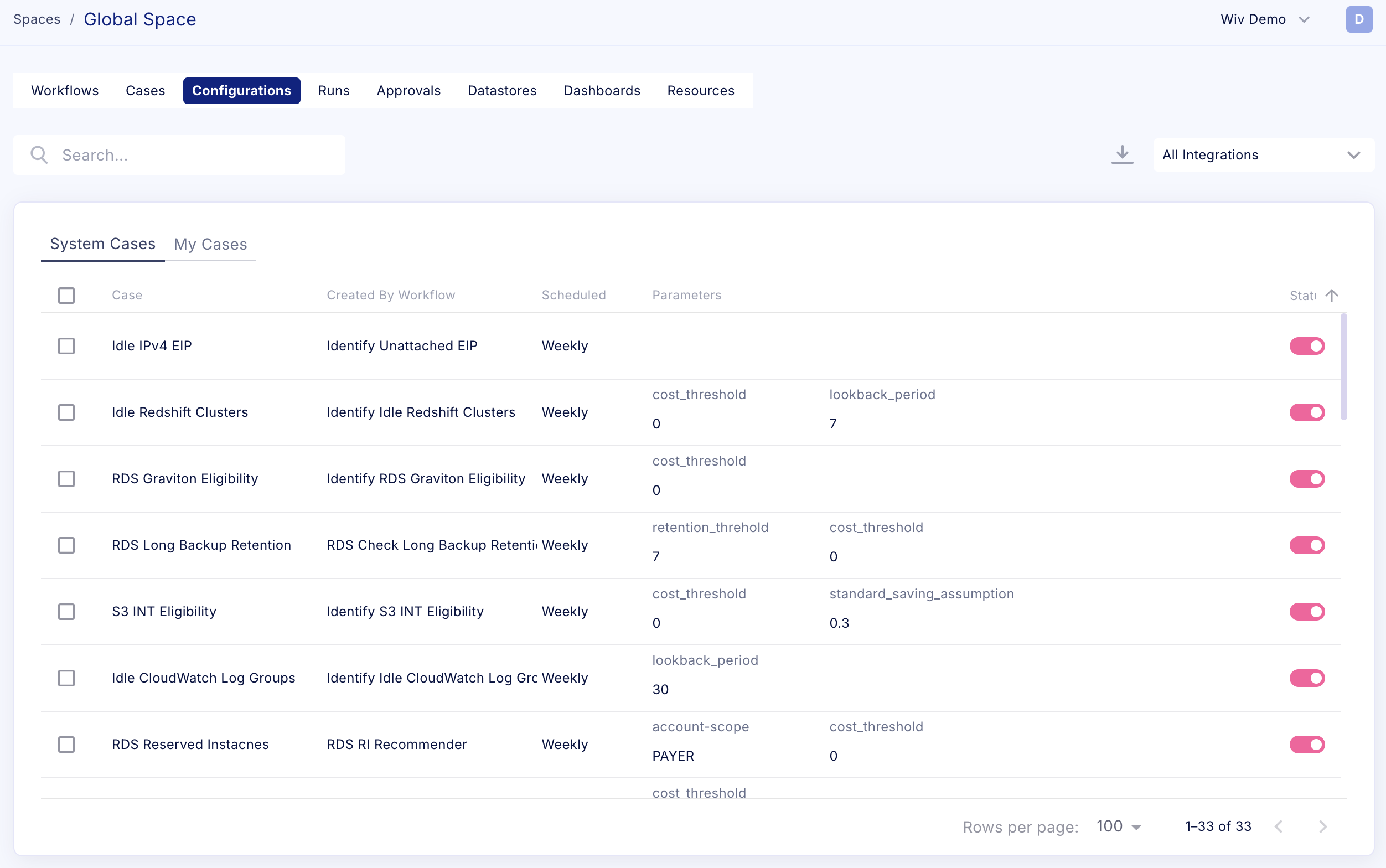
System workflows will be under the Configuration tab in the Global Space


Working with SWF

From the Configuration tab you can Manage the Schedule of each system workflow, Run them, and Configure the Entry parameters of the workflow, without having to access the Workflow Editor. 


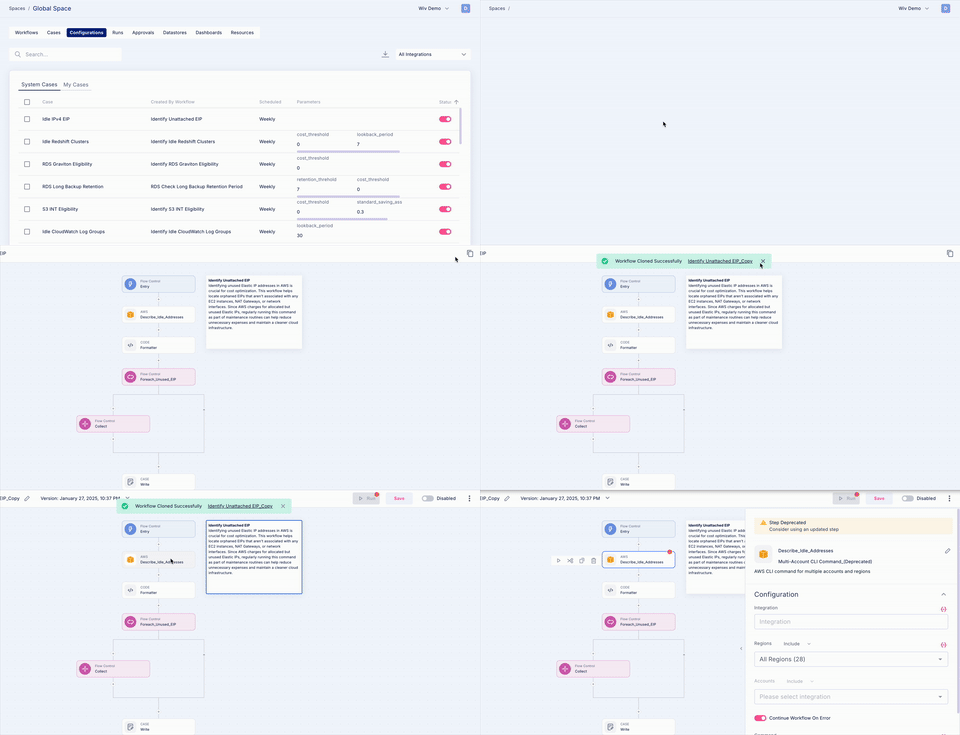
To clone a system workflow to your personal space to Edit it based on your business logic (to apply ownership for example), you will need to press the Workflow Name, which will open the Workflow editor. From there, you can find the Clone button on the top-right corner of the editor. 


Was this article helpful?

That’s Great!

Thank you for your feedback

Sorry! We couldn't be helpful

Thank you for your feedback

Let us know how can we improve this article!

Select at least one of the reasons
CAPTCHA verification is required.

Feedback sent

We appreciate your effort and will try to fix the article